> For the complete documentation index, see [llms.txt](https://whitepaper.runwago.com/llms.txt). Markdown versions of documentation pages are available by appending `.md` to page URLs; this page is available as [Markdown](https://whitepaper.runwago.com/about-the-app/garmin-watches-supported.md).
# GARMIN Watches (Supported)
Run with Garmin Watches, Earn with Runwago!
## GARMIN Watches: How To Use?
{% hint style="success" %}
**The Runwago app supports Garmin Connect & Garmin Watches!**
This feature allows users to track their runs with Garmin watches and automatically import them into the Runwago app via Garmin Connect.
**Let’s learn how to Connect your Garmin device!**
{% endhint %}
1. Go to the **Runwago App**
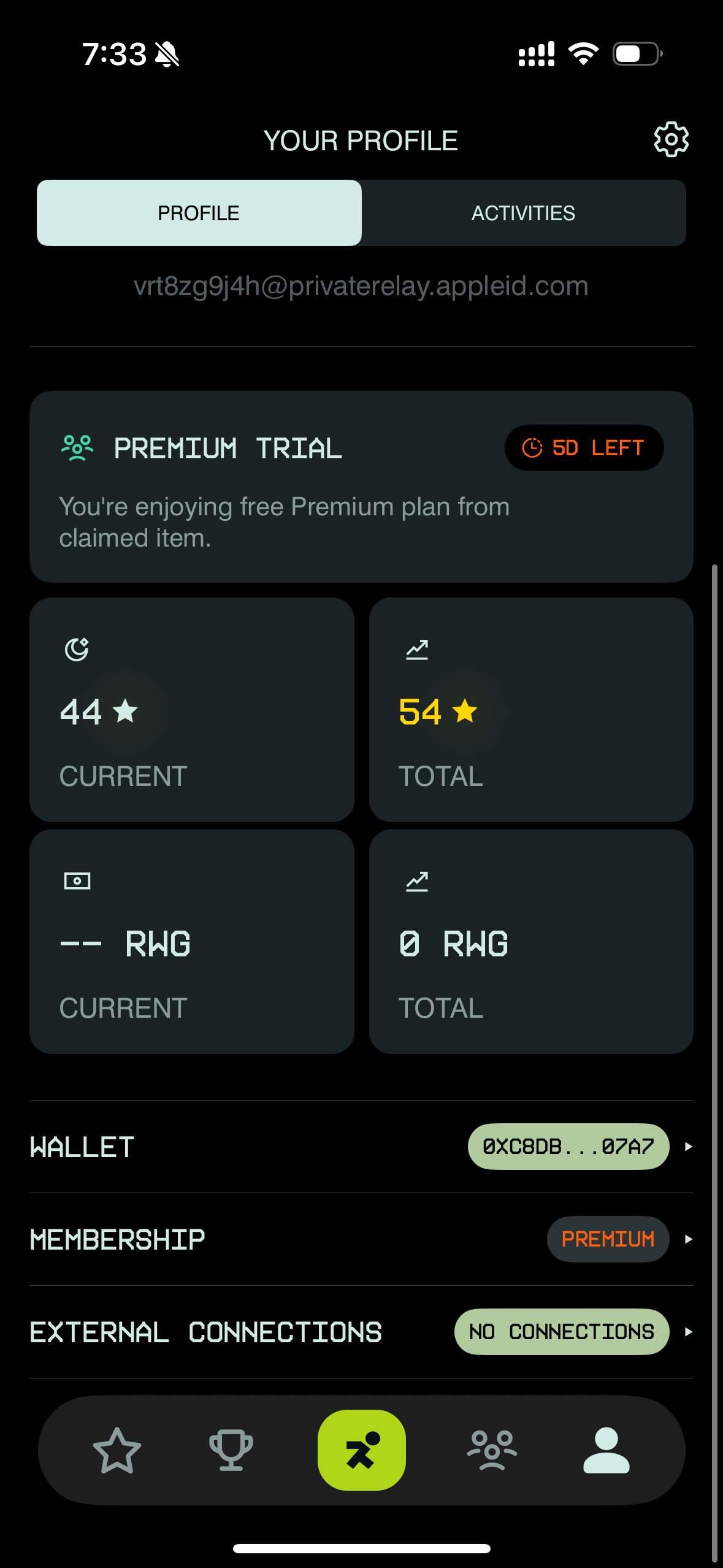
2. Go to your Profile
3. At the bottom of the page, find **External Connections**
4. Click the **No Connections** button
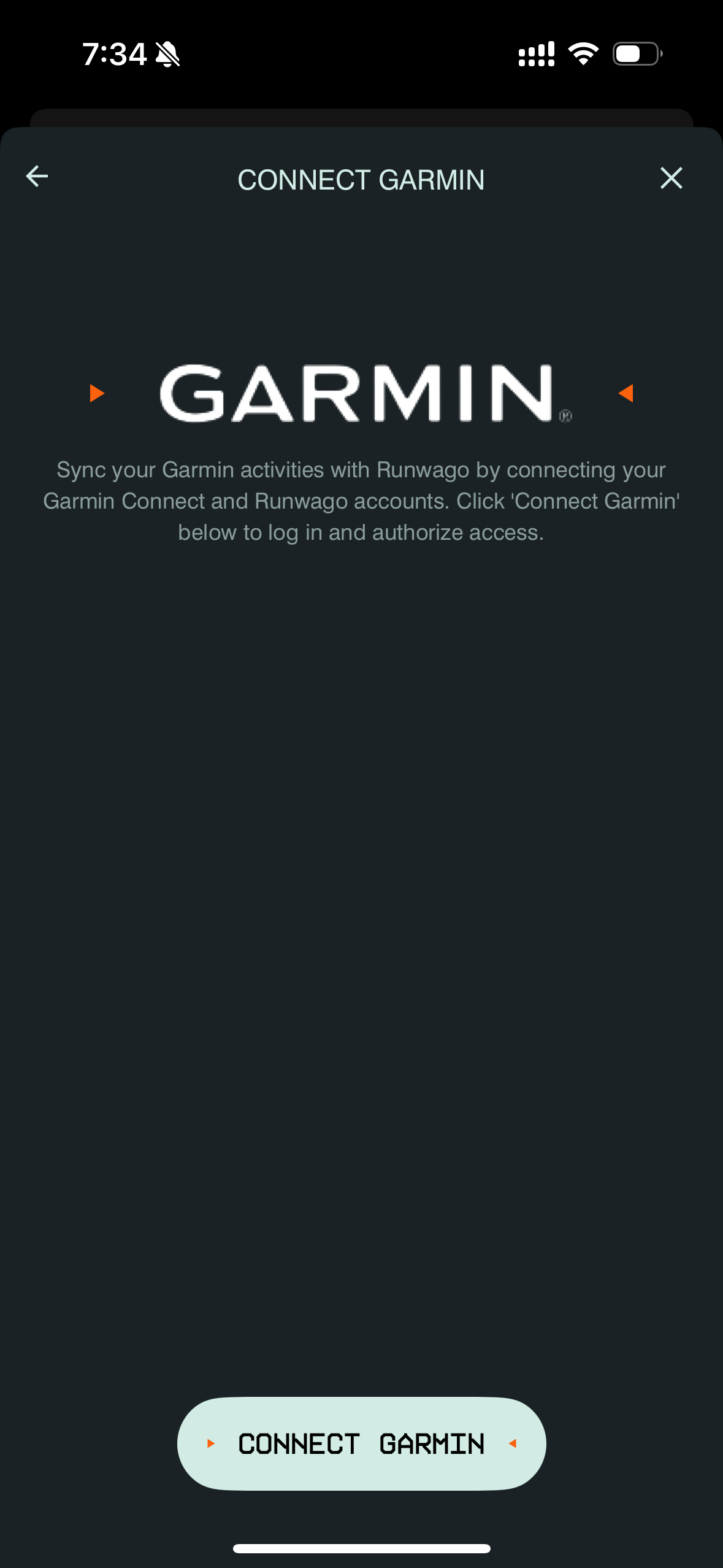
5. Click **Connect Garmin**
6. Allow the Runwago app to connect with Garmin.com
7. Accept the Terms and Conditions
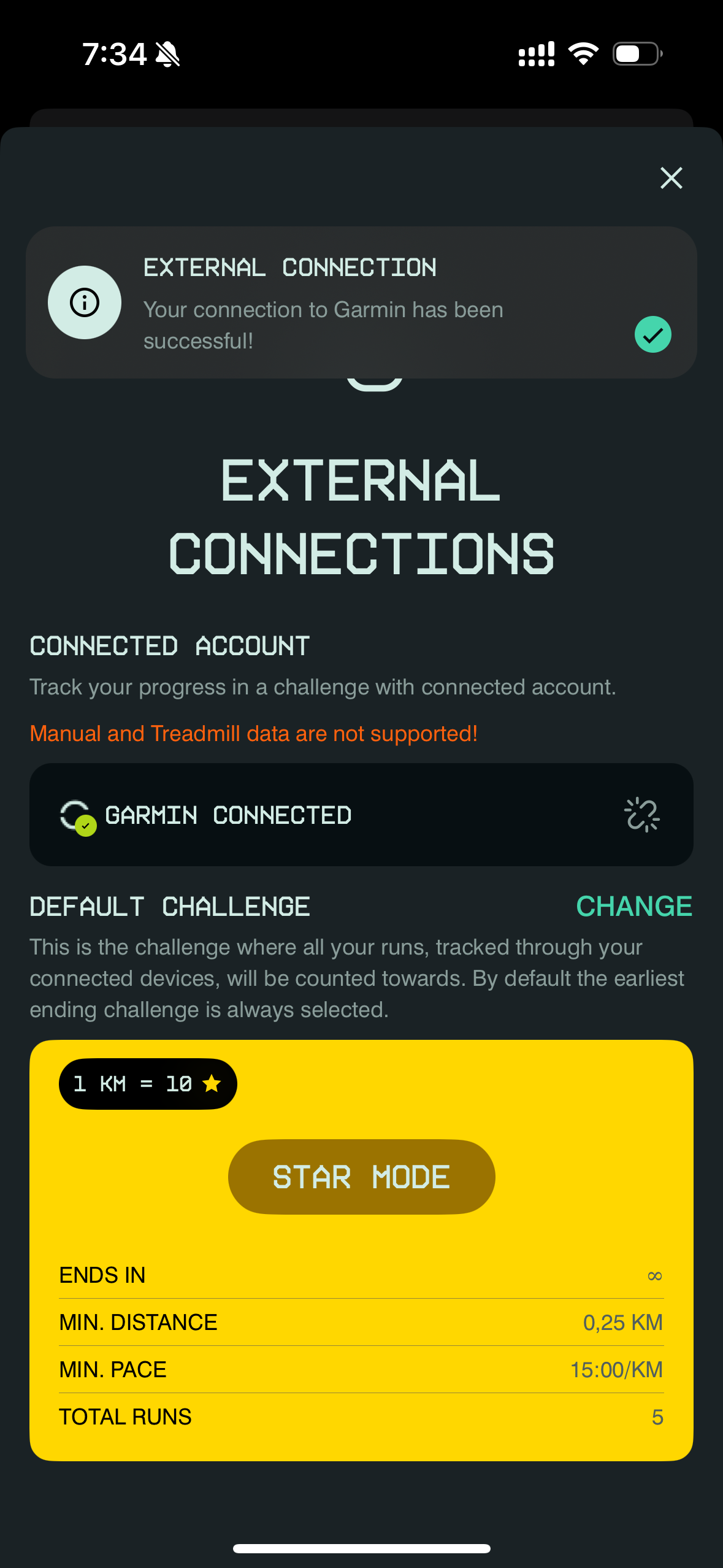
8. Done! Your Garmin is now connected to Runwago — you can leave the page!
**From now on, all of your runs will be automatically imported into the Runwago App!**
{% hint style="success" %}
**IMPORTANT !!!**
The Runwago app will recognize ONLY Garmin activities related to running (do not select walk, swimming, biking, etc.)
{% endhint %}
{% hint style="warning" %}
**The Runwago app does not support manually created activities in Garmin that are exported to the Runwago app!**
{% endhint %}
## **Runwago App is LIVE! Download NOW!**
{% hint style="success" %}
**App Store is LIVE!** [**DOWNLOAD HERE (App Store)**](https://apps.apple.com/cz/app/runwago/id6741070834)\
\
**Google Play is LIVE!** [**DOWNLOAD HERE (Google Play)**](https://play.google.com/store/apps/details?id=com.runwago.app\&hl=en)
{% endhint %}